Configuration: S/4HANA Cloud
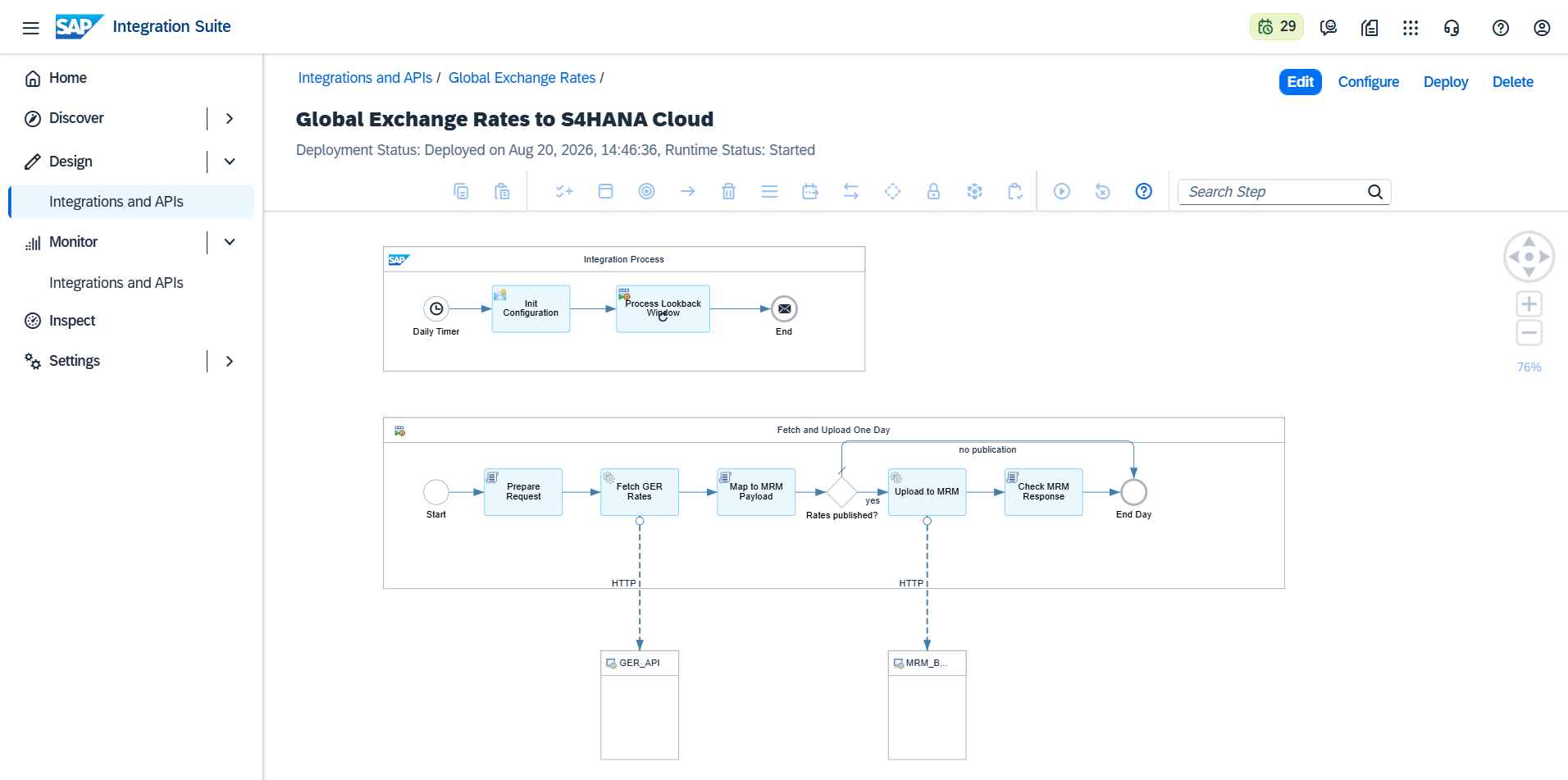
The Global Exchange Rates to S4HANA Cloud integration flow delivers rates through SAP Market Rates Management - Bring Your Own Rates (MRM BYOR), SAP's service for automated rate updates in S/4HANA Cloud. The flow fetches the official rates and uploads them to your MRM instance; MRM then distributes them to your S/4HANA Cloud system.
SAP-side prerequisites
Before configuring the flow, make sure the MRM channel is in place (your SAP administrator will recognize these):
- SAP Market Rates Management, Bring Your Own Rates subscribed in your SAP BTP account, with a service key created; the service key contains the
uploadUrland the OAuth credentials used below. - Scope item 1S4 activated in S/4HANA Cloud, with the communication arrangement between MRM and your S/4 tenant configured.
- Your S/4HANA market data configuration defines the provider code, market data source, and market data property under which the rates should be filed (commonly
BYOR/ a source name of your choice / propertyM).
Configure the integration flow
Open the flow in the package and choose Configure.
Receiver tab, GER_API:
| Setting | Value |
|---|---|
GER_API_KEY |
Your Global Exchange Rates subscription key |
GER_PROVIDER |
The official source to fetch, e.g. ECB |
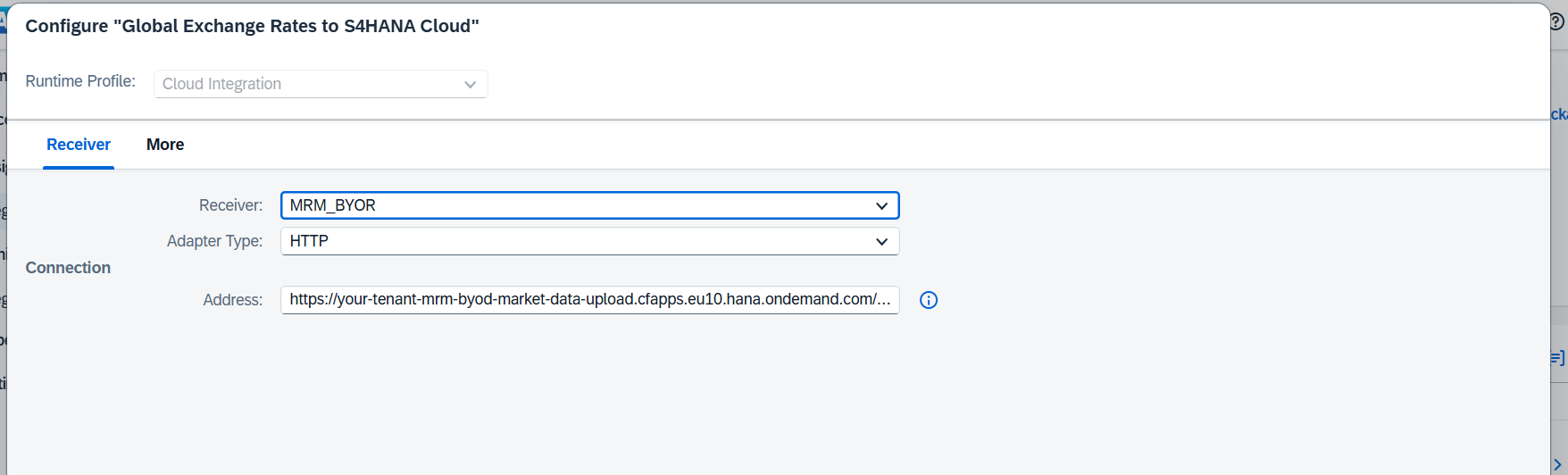
Receiver tab, MRM_BYOR:
| Setting | Value |
|---|---|
MRM_UPLOAD_URL |
The uploadUrl from your MRM service key (ends in /uploadMarketData) |
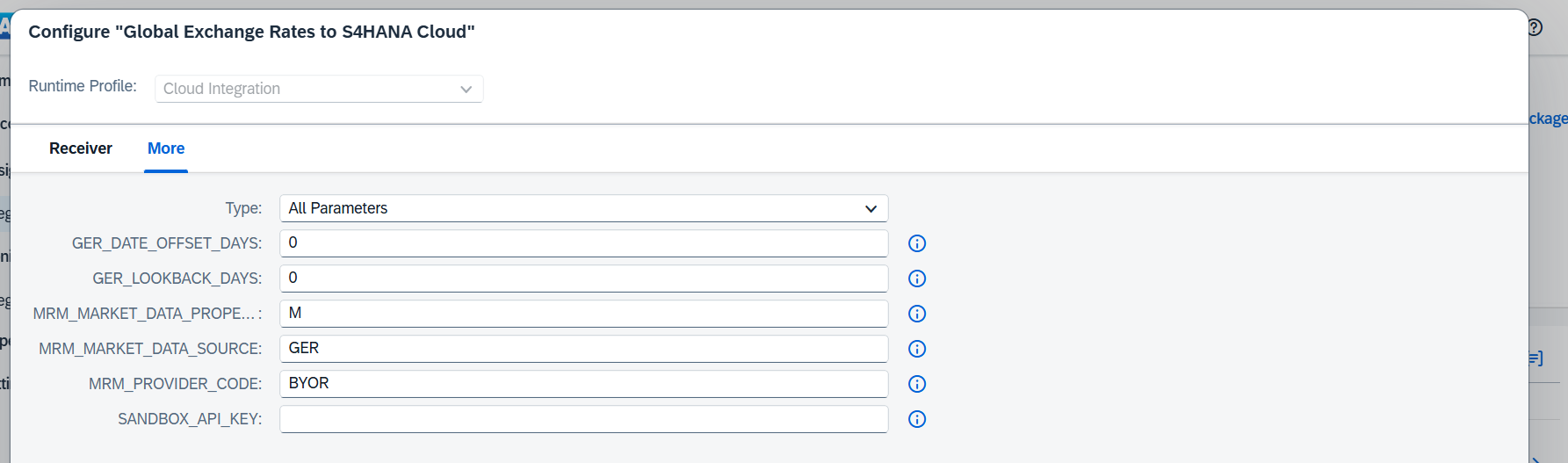
More tab:
| Setting | Default | Meaning |
|---|---|---|
GER_DATE_OFFSET_DAYS |
0 |
0 fetches the run date, 1 the previous day; use if you schedule the run before your source publishes |
GER_LOOKBACK_DAYS |
0 |
See Scheduling & Backfill |
MRM_PROVIDER_CODE |
BYOR |
Must match your S/4HANA market data configuration |
MRM_MARKET_DATA_SOURCE |
GER |
Must match your S/4HANA market data configuration |
MRM_MARKET_DATA_PROPERTY |
M |
Must match the property your S/4HANA requests |
SANDBOX_API_KEY |
empty | Leave empty in production (testing aid only) |
Set up MRM authentication
The MRM upload endpoint uses OAuth 2.0 with the client credentials from your MRM service key:
- In Integration Suite, go to Monitor → Integrations and APIs → Security Material and create an OAuth2 Client Credentials artifact with the
clientid,clientsecret, and token URL (url+/oauth/token) from the service key. - Open the flow in Edit mode, select the HTTP channel to MRM_BYOR, set Authentication to OAuth2 Client Credentials, and select the credential you created.
- Save and Deploy.
Verify
- The flow runs immediately on deployment. Check Monitor → Message Processing: the run should show Completed, with the fetched rates and the delivered payload attached (see Monitoring & Alerting).
- In MRM, the uploaded rates are visible for your provider code and date.
- In S/4HANA Cloud, the rates appear in the Currency Exchange Rates app after MRM distributes them.
Then set the daily schedule; see Scheduling & Backfill.