Scheduling & Backfill
Daily schedule
The integration flow ships with a Run Once timer, which fires immediately on every deployment, convenient for setup and testing. For production, set a daily schedule:
- Open the flow's Configure dialog and go to the Timer/Scheduler section (or open the Daily Timer step in the editor).
- Choose Schedule to Recur → Daily, pick a time and time zone, and redeploy.
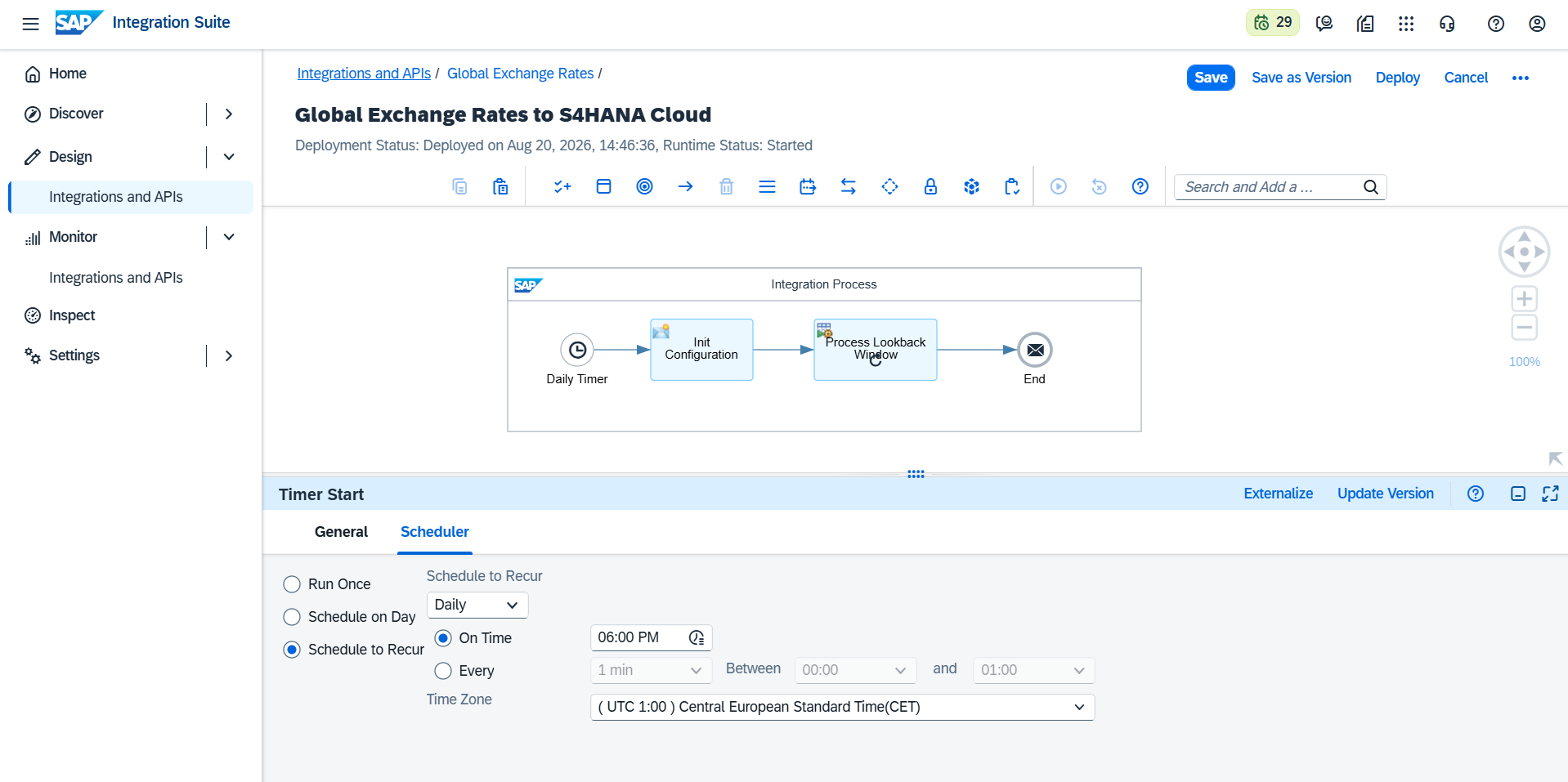
Pick a time after your source publishes. Official sources publish usually once per business day, each on its own schedule. Scheduling the run after the data is published, or setting GER_DATE_OFFSET_DAYS = 1 to fetch the previous day, guarantees the requested date is available.
Days without publication
On weekends and holidays of the source, no rates are published. The flow detects this and completes normally without delivering anything; the run is marked Completed in monitoring with a note ("no rates published for …"). This is expected behavior, not an error.
Lookback window (weekly and delayed publishers)
Some sources publish several days at once, for example a bank that publishes the whole previous week every Monday. Set GER_LOOKBACK_DAYS to cover the publication cycle (e.g. 7): each run then fetches the last N days, delivering whatever has been published and skipping the rest. Re-delivering an already-loaded day is harmless; existing rates are overwritten with the same values.
0 (the default) disables the lookback: one day per run.
Historical backfill (initial load)
To load history when going live:
- Set
GER_LOOKBACK_DAYSto the number of days of history you need (e.g.365). - Deploy: the run executes immediately and loads the window day by day, oldest first, skipping non-publication days.
- When the run completes, set
GER_LOOKBACK_DAYSback to your normal value and redeploy with the daily schedule.
The backfill is safe to re-run: if it is interrupted, simply deploy again; already-loaded days are overwritten, not duplicated.